


How to Delete a Relay Email

Jan 28, 2026
 1602
1602
If you no longer need a Relay Email, it can be removed directly from your PrivadoVPN account dashboard in just a few steps.
Steps to Delete a Relay Email
- Log into your PrivadoVPN account dashboard.
- Select Email Relay from the left‑side menu.
- Locate the Relay Email you want to remove and click Delete Email.
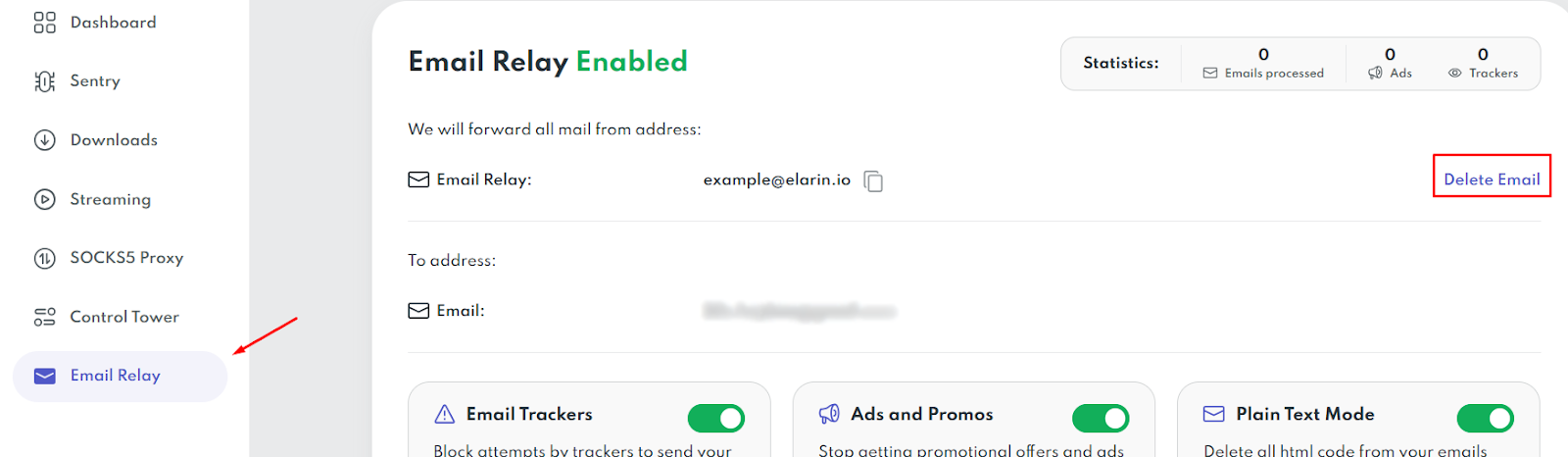
- When the confirmation box appears, click Delete Email again to confirm.
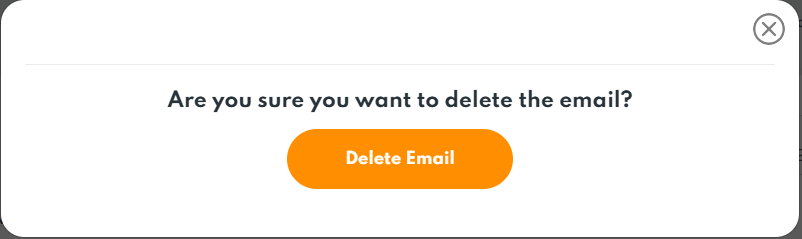
Once confirmed, the Relay Email is deleted and will no longer forward messages.
NOTE: Email Relay is a feature of PrivadoVPN Premium. If you would like to use it and have a Free account, you can easily upgrade to Premium in minutes.

