


 1620
1620
Email Relay lets Premium subscribers create a forwarding email address that sends messages to an email you already use. This is helpful for signups, subscriptions, and online accounts where you prefer not to share your primary address.
Once set up, any message sent to your Relay address forwards automatically to your chosen inbox.
Create a New Email Relay
- Log into your PrivadoVPN account dashboard.
- Select Email Relay from the left-side menu.
- Click Setup Now.
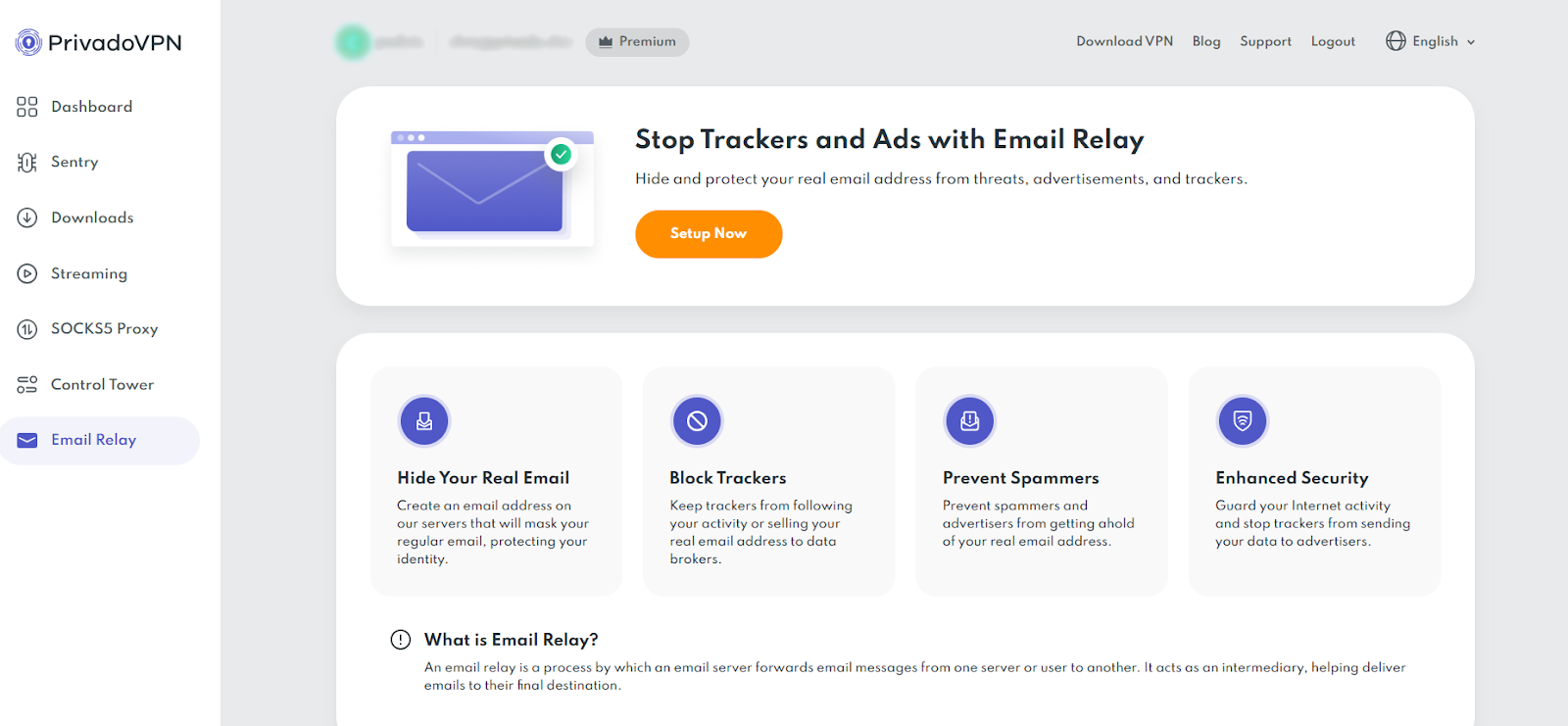
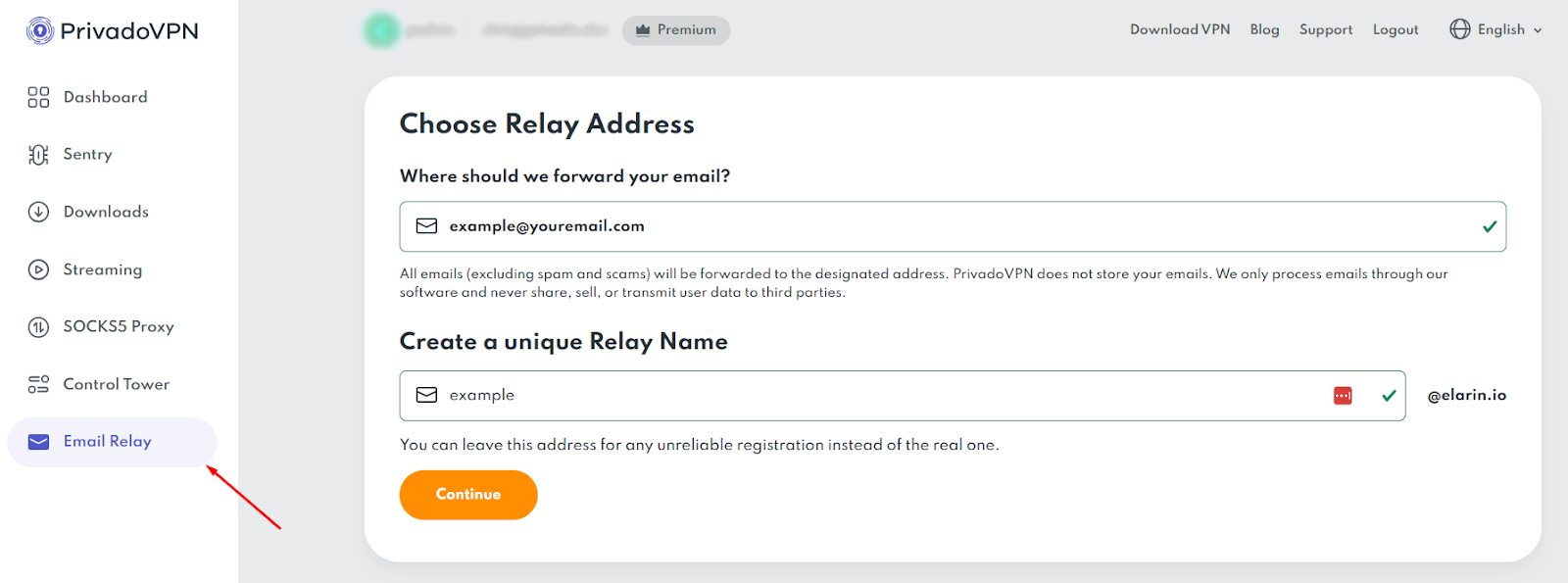
- In “Where should we forward your email?”, enter the email address where messages should be forwarded.
- In “Create a unique Relay Name”, enter the first part of the forwarding address you want.
- Click Continue.
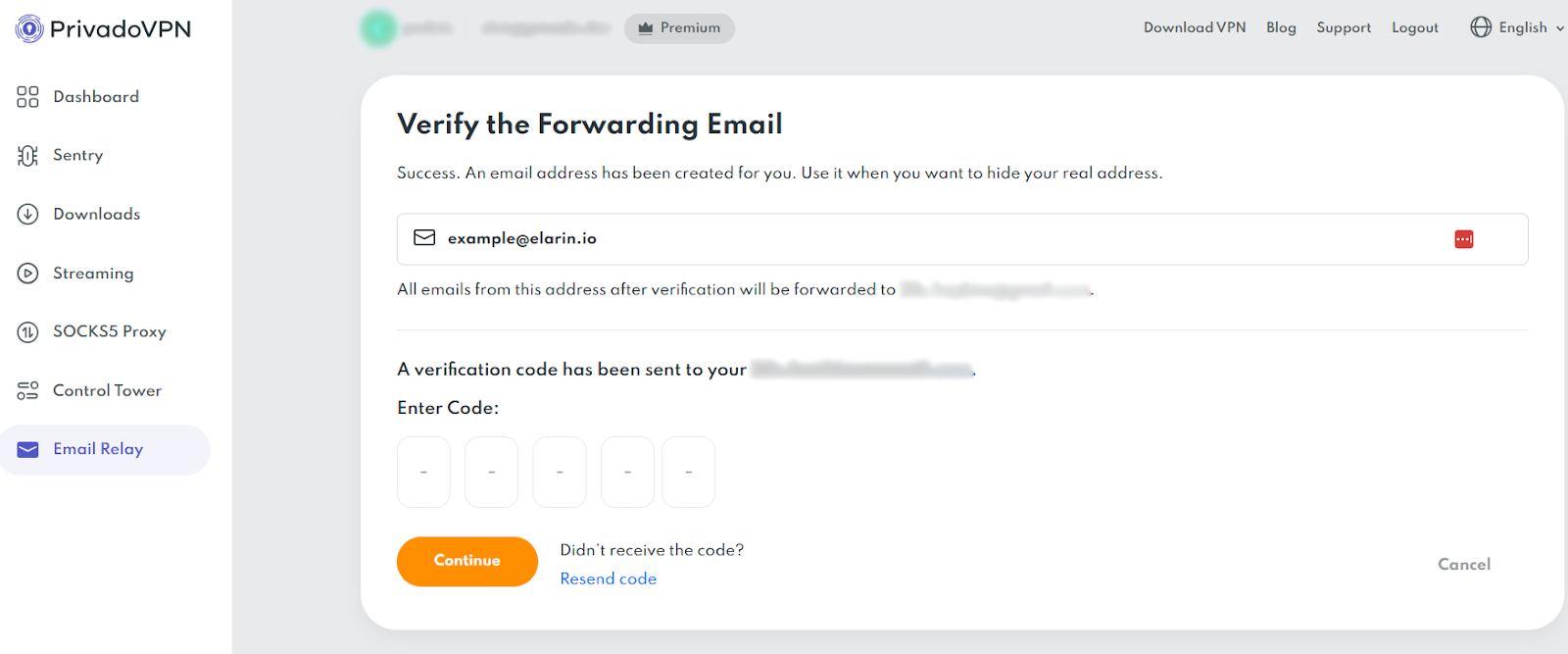
- Check your forwarding email address for the verification code.
- Enter the code in the “Enter Code” boxes and click Continue.
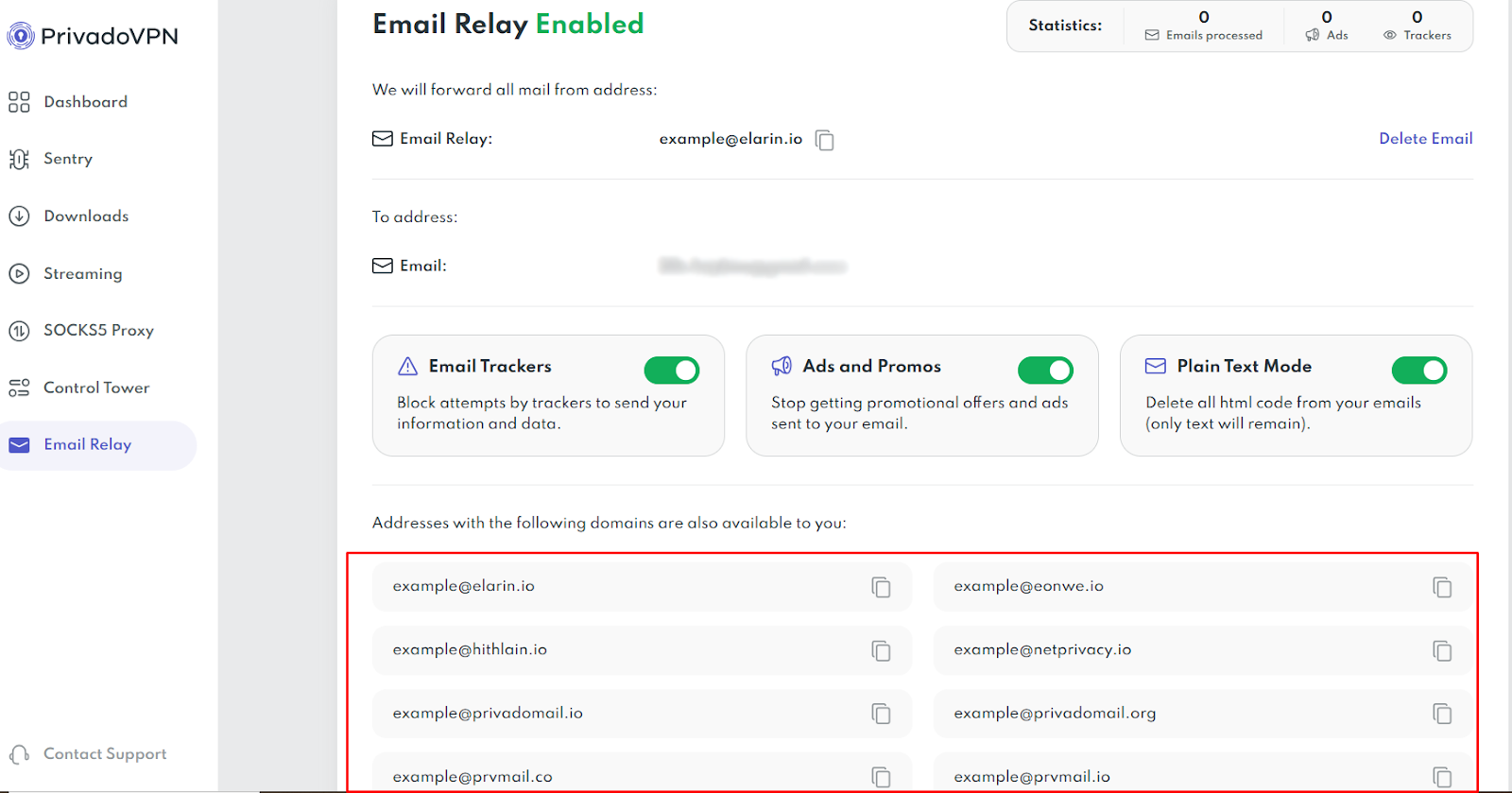
- Your Email Relay is now set up and ready to use.
Choosing a Relay Address
When creating your Relay, you can use any of the email addresses listed under:
“Addresses with the following domains are also available to you:”
All available domains work the same way. Messages sent to any Relay address you create will forward to your selected email.
What Happens Next
- Your Relay address can be used immediately for signups and subscriptions
- Messages forward automatically to your chosen inbox
- You can manage, disable, or remove Relay addresses from the Email Relay section at any time
If you need to change your forwarding email later, return to Email Relay in your account dashboard and update your settings.
Email Relay Isn’t on My Dashboard
If you can’t find Email Relay on your PrivadoVPN dashboard, the most likely reason is that you have a Free account. Email Relay is a Premium feature and will only be available if you have a current, Premium subscription. If you need to upgrade, you can do so here and your account will be updated automatically.
If you have a Premium account and still can’t find Email Relay on your dashboard, please reach out to our Support team and they can help you get started.

