


Email Relay is a Premium feature that adds an extra layer of control to incoming messages by filtering and modifying emails before they reach your inbox. These protections help reduce tracking, cut down on unwanted promotions, and simplify message formatting.
When Email Relay is active, each forwarding email address can use one or more of the protection modes below.
Protection Modes
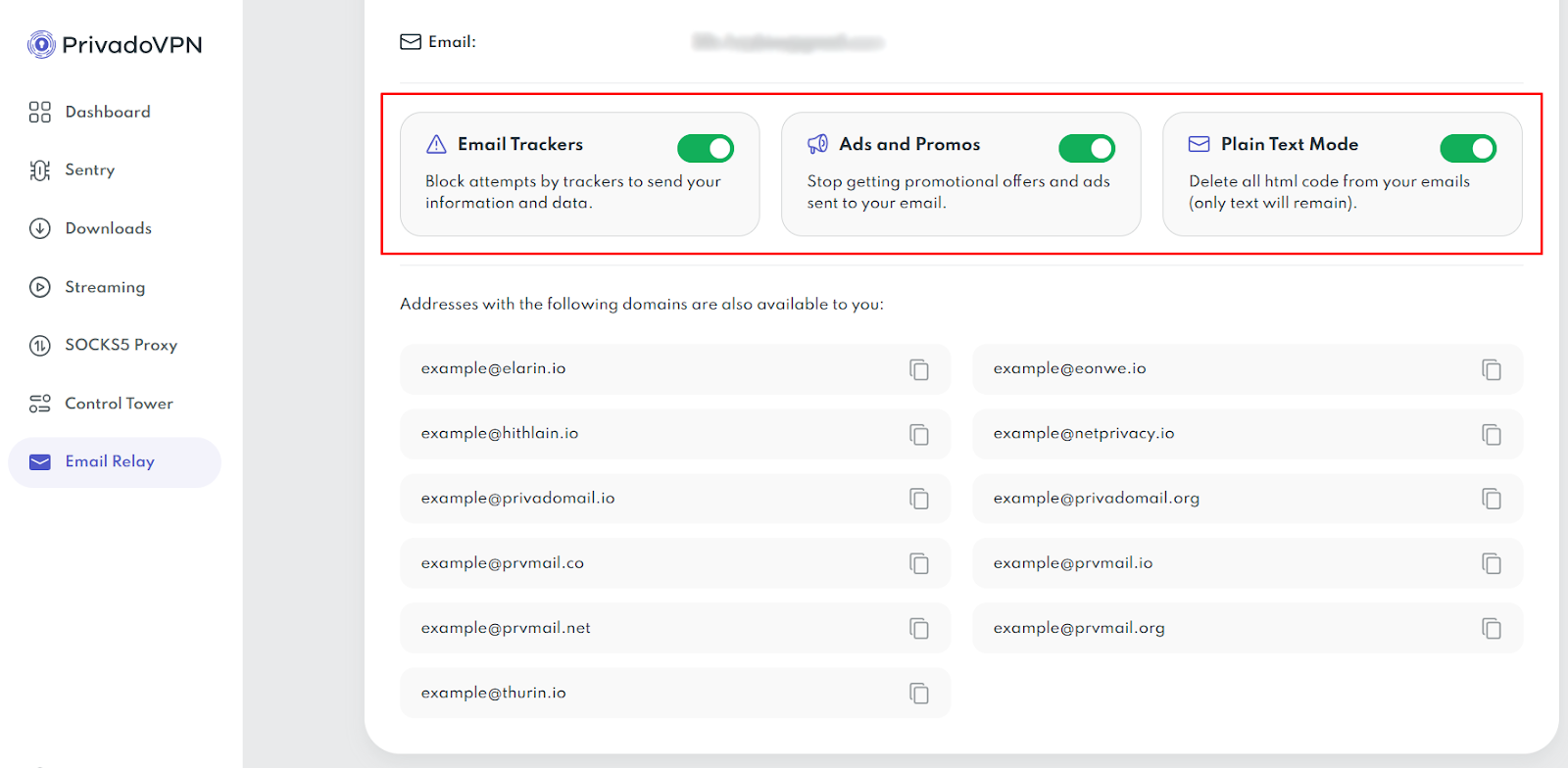
Email Trackers
This mode blocks common tracking techniques used in emails.
What it does
- Prevents hidden trackers from loading
- Reduces data collection such as open time, IP address, or device details
Ads and Promos
This mode reduces promotional messaging before it reaches your inbox.
What it does
- Filters out marketing offers and promotional messages
- Helps keep your forwarded email cleaner and easier to scan
Plain Text Mode
This mode removes formatting and delivers text only.
What it does
- Strips HTML formatting from emails
- Displays messages as plain text
How to Turn Protection Modes On or Off
All Email Relay protection modes are optional and can be changed at any time.
- Log in to your PrivadoVPN account dashboard.
- Click Email Relay in the left-side menu.
- Find the protection mode toggles for your relay address.
- Enable or disable each setting:
- Email Trackers
- Ads and Promos
- Plain Text Mode
Changes apply to new incoming emails.
What to Expect After Filtering
Some emails may look broken or missing visual elements when HTML formatting or trackers are removed. This is normal. The message text should still be readable, but layouts, images, and buttons may not appear the way the sender intended.
Why Don’t I See the Email Relay Menu Option?
Email Relay is a feature only available to PrivadoVPN Premium members. Subscribers with a Free account will not have access to Email Relay and the option will not appear in their dashboard.
If you would like to upgrade to PrivadoVPN Premium and take advantage of all our premium features, including Email Relay, Ad Block, Threat Protection, and more, then you can sign up here and your account should reflect the changes within a few minutes.
If you are already a Premium subscriber and don’t see Email Relay in your dashboard, you can reach out to our Support team 24/7 for help.

